Make the route move
Export a route and moving icon over a map background. Create a route overview to accompany your camera footage.
 Vroma Studio
Tell the story of your trip with a route moving across a map. Vroma Studio adds Mapbox-based video export to Studio Track’s route editing and playback features.
Mac · macOS 14+
GitHub · DMG download
Map video export requires your own Mapbox token
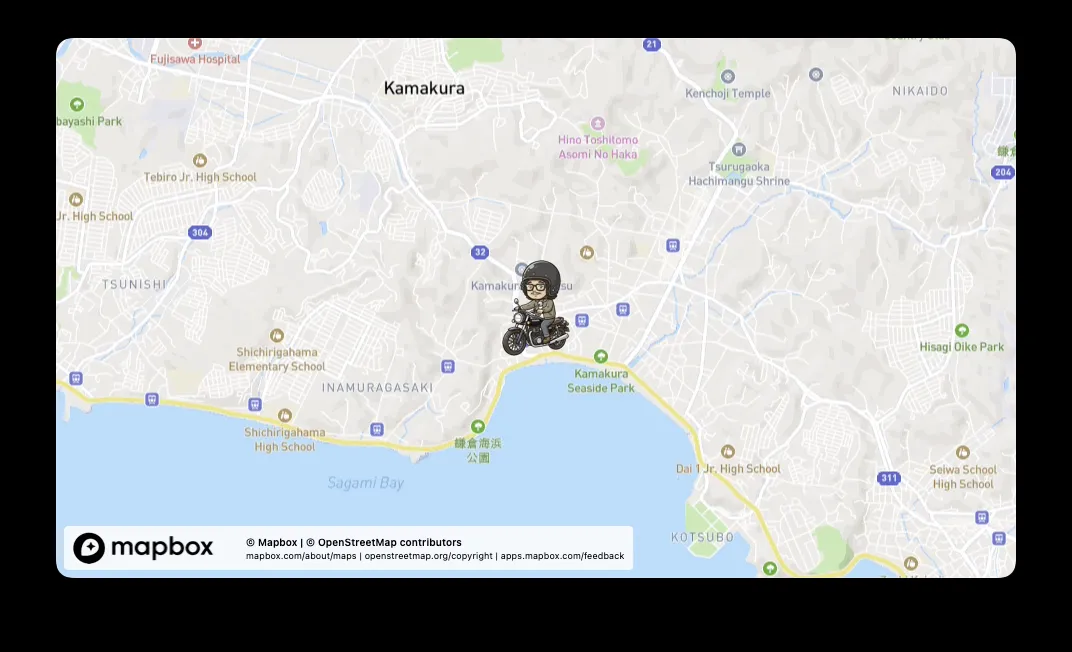
Export a route and moving icon over a map background. Create a route overview to accompany your camera footage.
Choose output dimensions and frame rate. Current exports support 100–960 pixels per dimension at 30 or 60 fps.
Apply Vroma markers to Final Cut Pro XML, using the moments marked during your trip as references for editing.
Mac · macOS 14+
GitHub · DMG download
Download and install the DMG from GitHub Releases. Open your GPX folder and select a recording.
Enter your own Mapbox public token (pk...). An internet connection is required to retrieve map imagery.
Choose dimensions and frame rate in video export, then export. Updates are also downloaded manually from GitHub Releases.
The app itself is free. Map imagery costs depend on your own Mapbox plan and usage. Mapbox contracts, billing and troubleshooting are outside app support.
Use Vroma Cut for trimming recorded footage. Vroma Studio creates map videos from GPX routes.
A sample map video. This example used 96 Mapbox Static Images API calls; usage varies with route and export settings.
Watch the sample on YouTube ↗The app is free. Map imagery may incur costs under your own Mapbox plan. Download the app and updates from GitHub Releases.
Routes, photos and footage. Follow the file handoffs and discover how the apps work together.