Keep your folder structure
Register existing folders without moving originals. Import new media into date-based folders after reviewing duplicates.
 Chrova
Bring photos and videos from your folders and external drives into one catalog. Browse by date or map, and revisit them alongside GPX routes. Keep your originals where they are.
Mac · macOS 14+
Mac App Store
Register existing folders without moving originals. Import new media into date-based folders after reviewing duplicates.
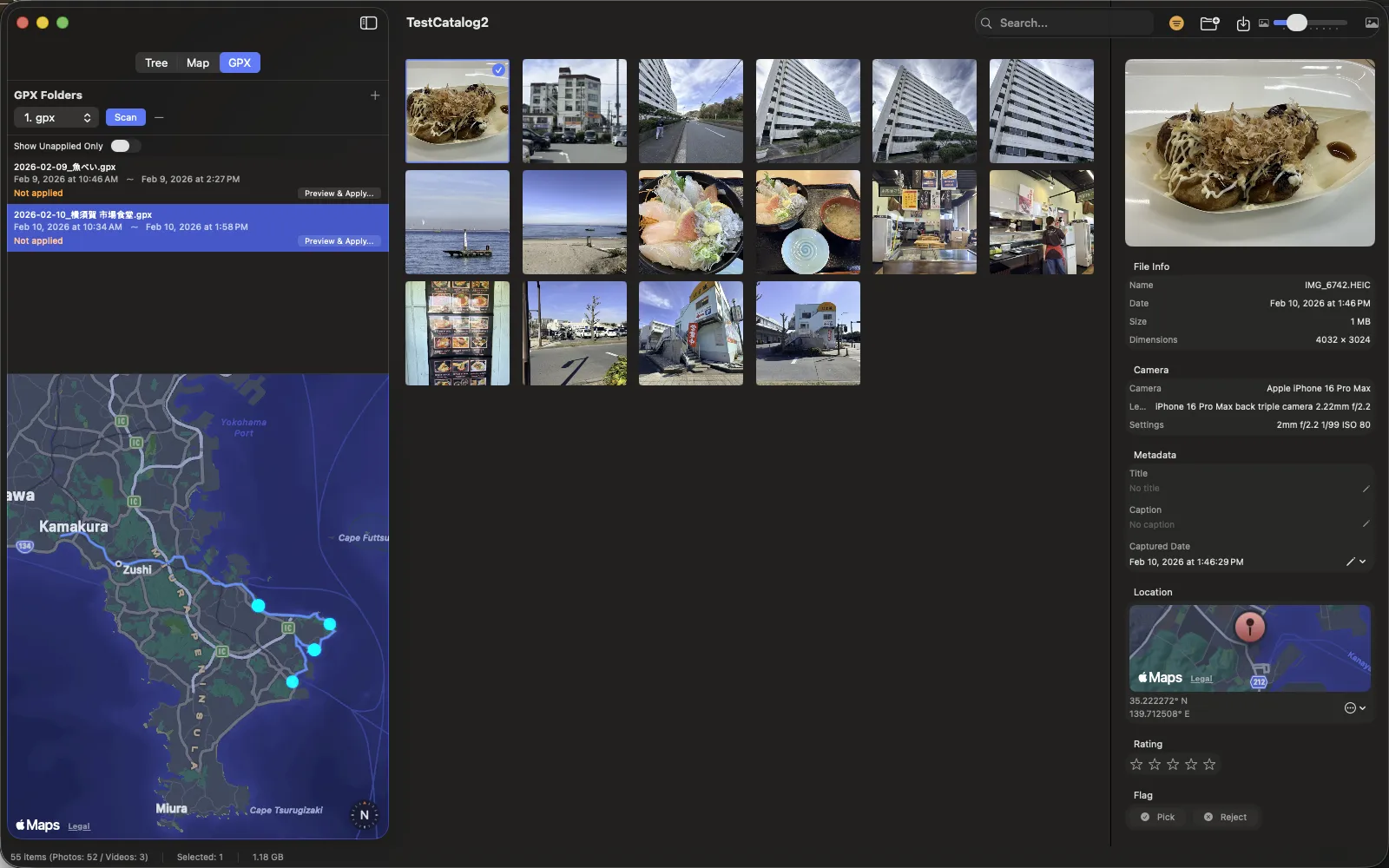
Find photos on the map or by date. Filter by a GPX track’s time range and review location suggestions for media without GPS.
Use ratings, flags and tags, then save searches as smart albums. Browse cached thumbnails even when a drive is disconnected.
Mac · macOS 14+
Mac App Store
Create a new catalog and choose where to save it. The catalog stores organization data and thumbnails.
Register folders containing your photos and videos. Use Import to copy new media into a registered destination.
Register a GPX folder, scan it and select a route. Review the preview before applying suggested locations to media without GPS.
Metadata edits, including time and GPS changes, are saved in the catalog. Applying locations from GPX does not rewrite the original media files.
Chrova uses macOS media reading and display capabilities. Support varies with format, codec and macOS version. It is not a RAW developer or video editor.
Check the App Store for compatibility and distribution details.
Routes, photos and footage. Follow the file handoffs and discover how the apps work together.